There’s a certain kind of joy that comes from doing something powerful in just one line of text. Developers have always known this — which is exactly why the terminal never died. And now, Google has officially joined the party in a big way.
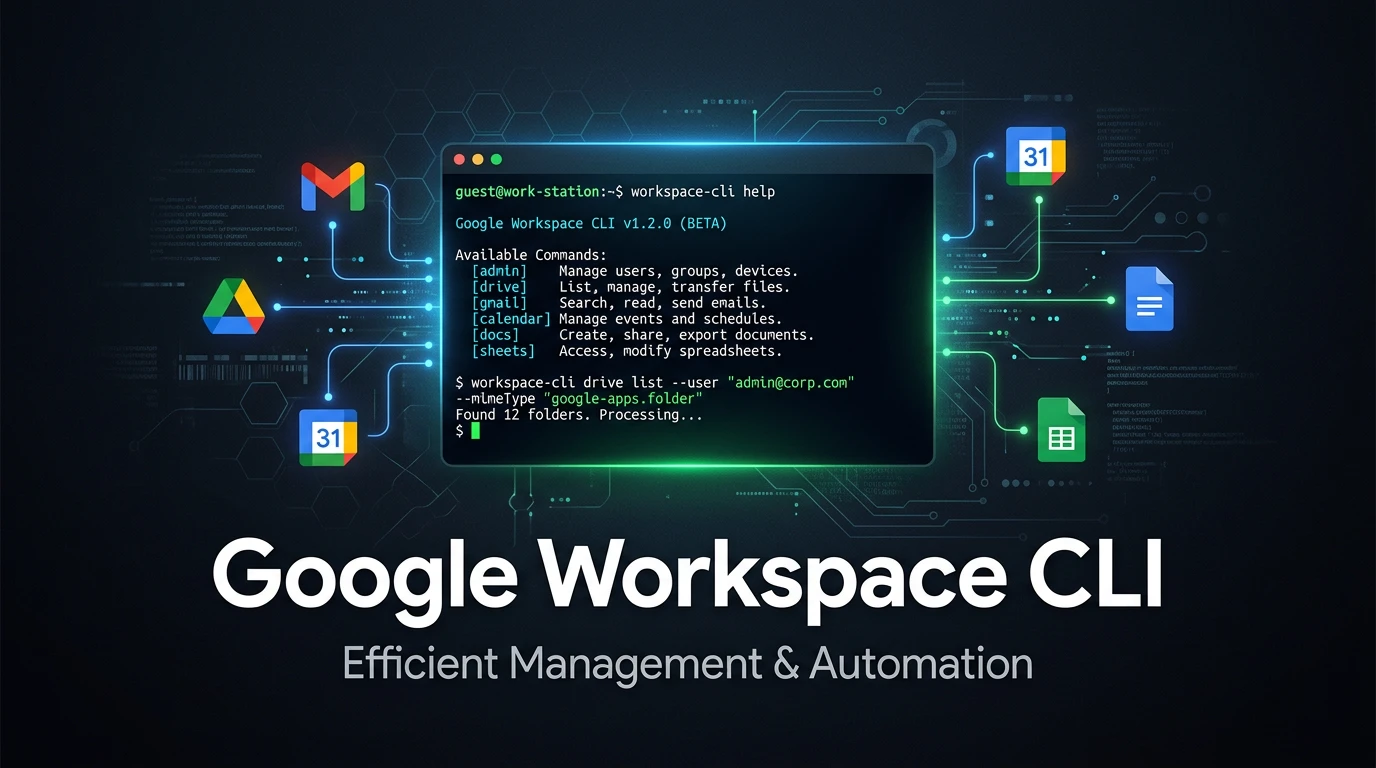
In early March 2026, Google quietly dropped the Google Workspace CLI on GitHub — and the developer internet promptly lost its mind. The project shot to #1 on Hacker News within hours, racking up over 571 points and triggering a flood of excitement across the AI and automation community. The reason? For the first time, you can control Gmail, Drive, Calendar, Docs, Sheets, Chat, and virtually every other Google Workspace service — directly from your terminal — using a single command: gws.
Let’s dig into what this thing actually does, why it matters, and how you can start using it today.
What Is Google Workspace CLI, Really?
At its core, gws is a unified command-line front end for Google’s entire Workspace API surface. Instead of juggling multiple SDKs, OAuth flows, and separate wrappers for each service, you get one tool, one command, and structured JSON output for everything.
What makes it architecturally clever — and genuinely different from yet another CLI wrapper — is how it’s built. The tool is written in Rust, distributed via npm, and rather than shipping a static list of hardcoded commands, it reads Google’s Discovery Service at runtime and dynamically builds its entire command surface. That means the moment Google adds a new API endpoint, gws picks it up automatically. You don’t need to update the tool. You just… get new capabilities.
Install it in a single command:
npm i -g @googleworkspace/cli
Then authenticate with your Google account and you’re ready to start orchestrating your entire digital workspace from the terminal.
Everything You Can Do With It
This isn’t just “list your Drive files” territory. The scope here is surprisingly deep. Once authenticated, gws exposes a rich set of operations across the full Workspace suite. Here’s a snapshot of what you can do:
- Gmail — Search threads, draft replies, manage labels, triage your inbox, send emails — all scriptable
- Google Drive — List files, move folders, update metadata, create new documents
- Google Calendar — Create, update, and query events; schedule meetings and dispatch invites
- Google Docs & Sheets — Assemble content, pull data from multiple spreadsheets, generate summary documents
- Google Chat — Post messages, read conversations, build conversational automations
- Admin — Access administrative endpoints for Workspace accounts
A real-world example: you could write a one-liner that reads 10 unread emails, generates a summary in a Google Doc, creates a tracking sheet in Sheets, and schedules a follow-up meeting in Calendar — all in a single chained prompt. That’s not hypothetical; that’s what the prebuilt recipes in the tool’s skills library are designed for.
40+ (Actually 100+) Agent Skills
When Google Cloud director Addy Osmani first teased the tool, he mentioned 40+ agent capabilities. By the time the broader community got their hands on it, many were discovering upwards of 100+ prebuilt skills baked into the package.
These skills are structured building blocks — think of them like LEGO bricks for workflow automation. Skills for drafting emails, creating meetings, processing documents, generating slides from data — they’re all there, ready to be chained together without writing a single line of custom code.
This is where gws stops feeling like a developer curiosity and starts feeling like a legitimate productivity superpower.
The AI Agent Story: MCP, OpenClaw, and Claude
Here’s where things get really interesting for the AI-native crowd.
The CLI ships with native support for MCP (Model Context Protocol) — the emerging open standard that lets AI agents interact with external tools in a structured way. Run a single command:
gws mcp
…and it spins up a local stdio-based MCP server that exposes all of Workspace as structured tools to any compatible AI client. That means you can point Claude Desktop, Gemini CLI, or VS Code’s AI agent at your Workspace data and let your AI assistant directly operate on it — reading emails, scheduling meetings, updating spreadsheets — without you lifting a finger.
The timing isn’t accidental. OpenClaw, one of the hottest personal AI agent platforms of 2026, had previously managed to connect to Workspace, but the process was — as PCWorld bluntly put it — “a royal pain,” requiring navigation through multiple separate APIs. The Workspace CLI changes that entirely. Google even published specific OpenClaw integration documentation alongside the release, making their intent crystal clear: they want AI agents living inside your Workspace.
As developer and Vercel CEO Guillermo Rauch put it: “2026 is the year of Skills & CLIs” — and this release is arguably the clearest proof of that yet.
How It’s Built (For the Technically Curious)
- Language: Rust — fast, safe, and memory-efficient
- Distribution: npm (
@googleworkspace/cli) - Command surface: Dynamically generated from Google’s Discovery Service at runtime
- Output format: Structured JSON — perfect for piping into scripts or AI agents
- License: Apache 2.0 — fully open source
- MCP support: Yes — run
gws mcpto expose a local MCP server
The JSON-first design is worth emphasizing. Unlike traditional CLI tools built for human reading, gws outputs are structured for machines to consume. This makes it a natural fit not just for shell scripts but for agentic systems that generate command inputs and directly interpret the outputs.
Real Automation Examples You Can Build Right Now
Here’s where the rubber meets the road. Some practical workflows this enables:
1. Daily standup automation Query your Calendar for today’s events, pull recent Drive documents modified in the last 24 hours, and generate a Docs summary — all in a single chained command.
2. Email triage pipeline Have an AI agent (via MCP) read your inbox, categorize emails, draft replies for routine queries, and flag high-priority ones — without touching a browser.
3. Meeting-to-action workflow After a meeting, automatically pull the Calendar event notes, generate a follow-up email to all attendees, and create a tracking sheet in Google Sheets.
4. Cross-spreadsheet data aggregation Pull cells from multiple Sheets, combine them into a master report document in Docs, and share via Drive — all scripted and repeatable.
These aren’t stretch goals. These are exactly the kinds of workflows the prebuilt skills and recipes in the repository are designed to enable.
One Important Caveat: It’s a Developer Sample
Let’s be honest about what this tool currently is. Google has been explicit: the Workspace CLI is a developer sample, not a production-grade, officially supported product. That means:
- Security scoping, permissions, and testing are your responsibility
- Prompt injection risks are real — if an AI agent reads a malicious email containing hidden instructions, it could execute unintended actions
- You should treat it as a powerful experiment, not a set-and-forget enterprise solution
That said, the architecture is solid, the open-source community is already building around it, and given Google’s track record of graduating popular developer tools into supported products, don’t be surprised if a more hardened version follows.
Getting Started in 5 Minutes
- Install Node.js (v18+ recommended) if you haven’t already
- Install the CLI:
npm i -g @googleworkspace/cli
- Authenticate with your Google account using OAuth:
gws auth login
- Run your first command — try listing your Drive files:
gws drive files list
- Enable MCP for AI agent integration:
gws mcp
Then point Claude Desktop or Gemini CLI at the local server.
For full documentation, the official GitHub repository is your best starting point. The skills folder in the repo contains prebuilt automation recipes worth browsing before you write anything custom.
Why This Matters for Developers and AI Builders in 2026
We’re at an inflection point. The old model of SaaS productivity — open app, click button, close app — is giving way to something more fluid and agent-driven. Tools like n8n, Zapier, and custom API integrations have carried the automation crowd for years. But Google just shipped a first-party, structured, AI-ready interface to its own ecosystem — and that changes the calculus significantly.
For developers building AI-powered workflows, automation scripts, or agentic systems, gws eliminates an enormous amount of plumbing work. For AI builders experimenting with tools like Claude or Gemini, the MCP integration means your agent can now genuinely act as a digital executive assistant — reading, writing, scheduling, and organizing across the full Google productivity suite.
The terminal isn’t just back. In 2026, it might be the most powerful place you can be.
Have you tried the Google Workspace CLI yet? Drop your use case or questions in the comments — we’d love to hear how you’re putting it to work.
Published on Innofy.co — Your source for developer insights, AI tools, and the future of productivity.

Related Posts
Stop Paying for AI Coding APIs — Proxima Lets You Vibe Code for Free

Don’t Return Your Office Laptop Without Doing This First — A Complete Data Sanitization Guide